

Technell
Compare models by their specifications and instructions, choose delivery, pay through T-Bank, and open the saved order in the customer account.
- Modernization of the storefront, customer account, and order/payment journey for ООО «Технэл».
- Nuxt
- Vue
- TypeScript
- Pinia
- Directus
Design problem
Customers need accurate model specifications, while the store needs one continuous order from cart to payment. The order must survive the trip to T-Bank and back, and the server must confirm whether payment actually succeeded.
How the purchase works
-
Compare and inspect a model
Compare models in the category, then check scale, dimensions, photos, instructions, and price on the product page.
-
Prepare the order
Change quantity, choose delivery, review the total, and separately accept the sales rules and personal-data processing terms.
-
Sign in and create the order
Receive a code by email, return to checkout, and save the order to the customer account. Repeating the same submission does not create a duplicate.
-
Confirm payment and open the order
The T-Bank return link leads back to the store, while the site obtains payment status from the server. The account shows payment or refund details and offers another attempt only when allowed.
From model selection to the order in the customer account
The catalog, product, cart, and checkout were captured from the live storefront. The account and payment examples use the real pages with controlled data; they did not create a customer, order, or payment.
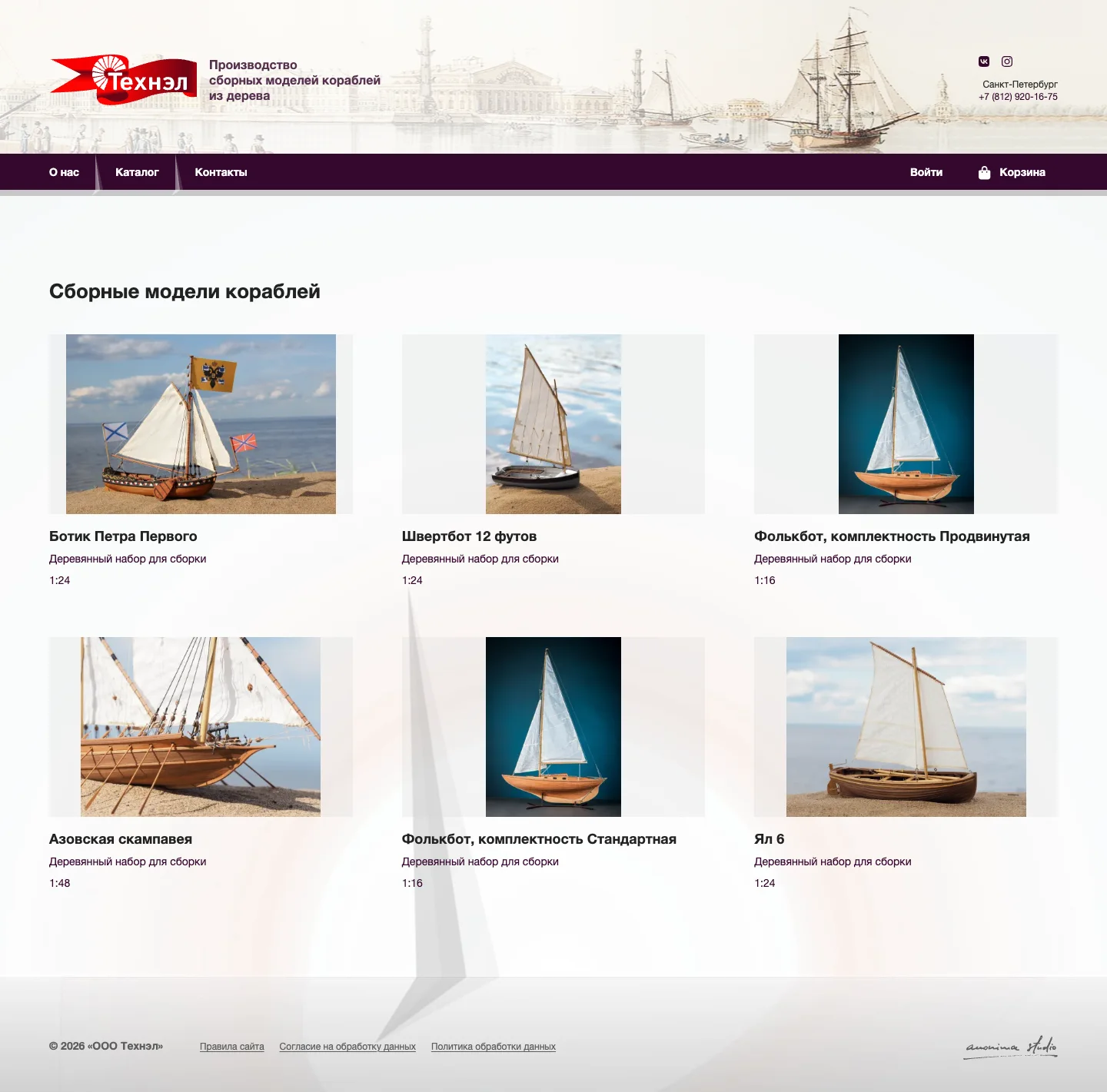
Wooden ship model catalog
The category lets a customer compare model types, scale, and photography before opening a product.
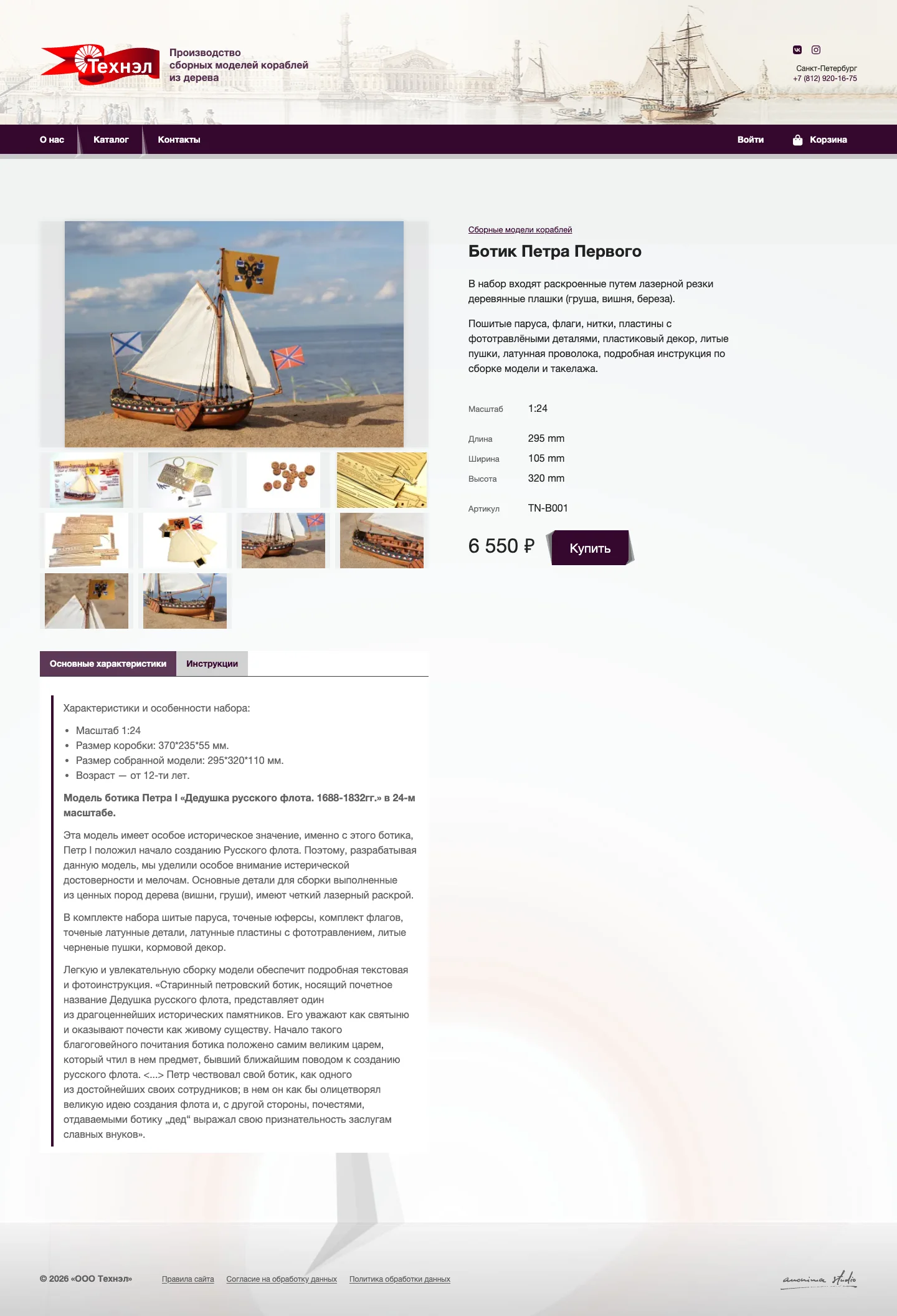
Specifications before purchase
The product page keeps photos, dimensions, scale, instructions, price, and the buy action together.

Delivery choices on mobile
The narrow cart keeps quantity, two delivery choices, discount, total, and checkout action on one screen.
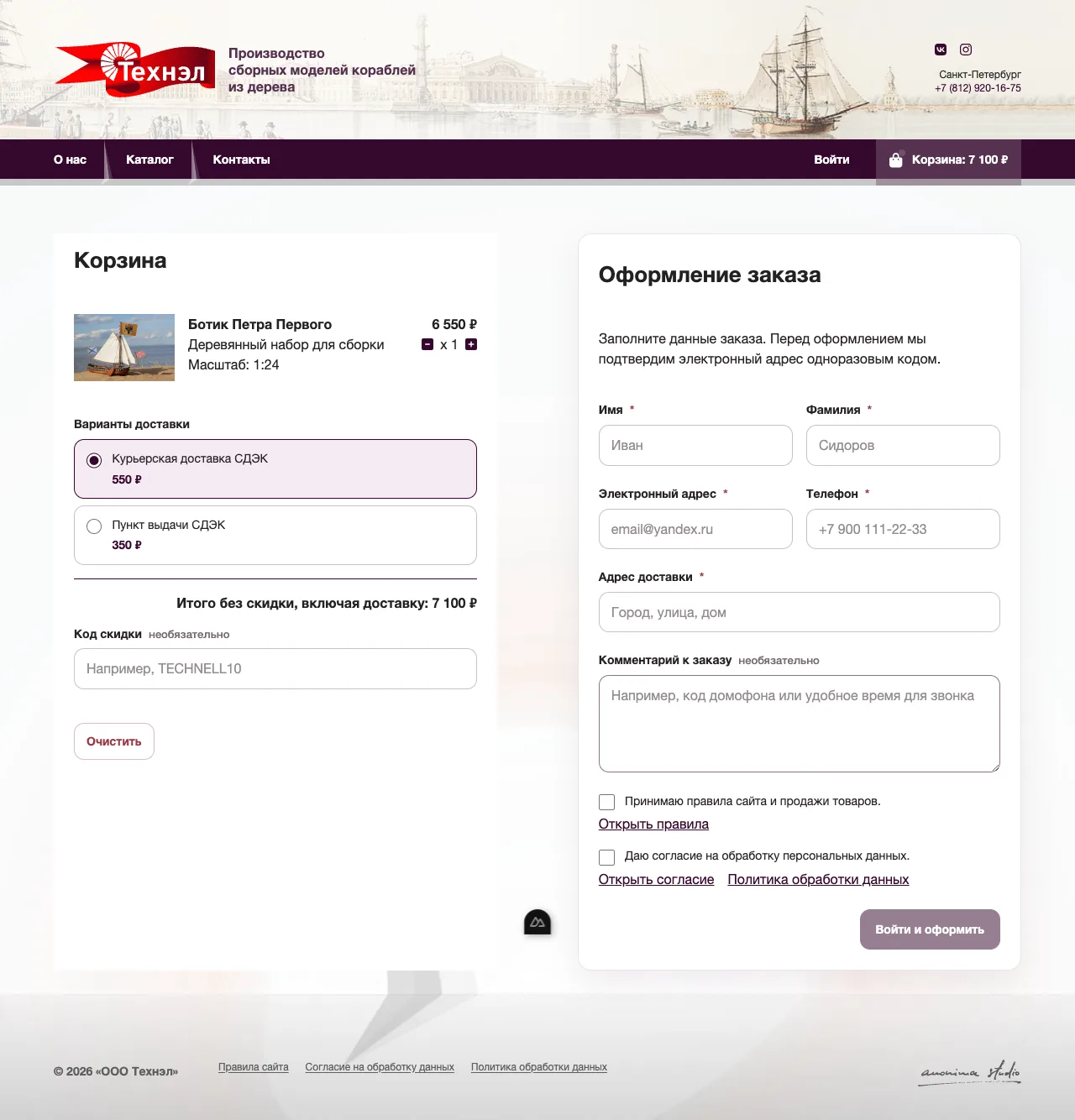
Sales rules and consent at checkout
Real route with controlled data: delivery, recipient fields, sales rules, and personal-data consent remain visible before sign-in. No customer or order was created.

Orders in the customer account
Real route with controlled data: the account shows the order number, payment status, total, and link to details. No customer or order was created.
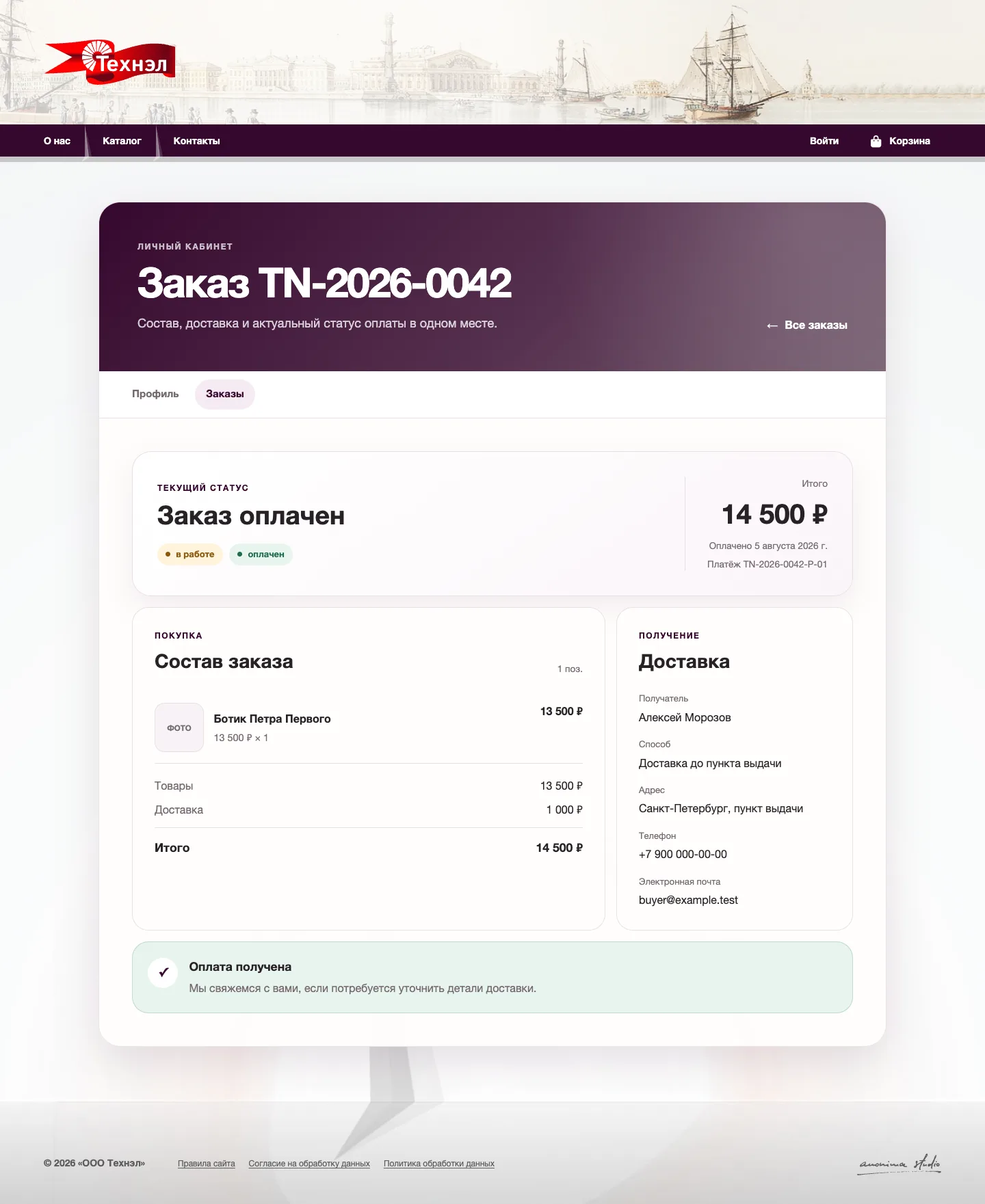
Order and payment on one page
Real route with controlled data: product, delivery, total, order status, payment date, and bank reference appear together. No order or payment was created.
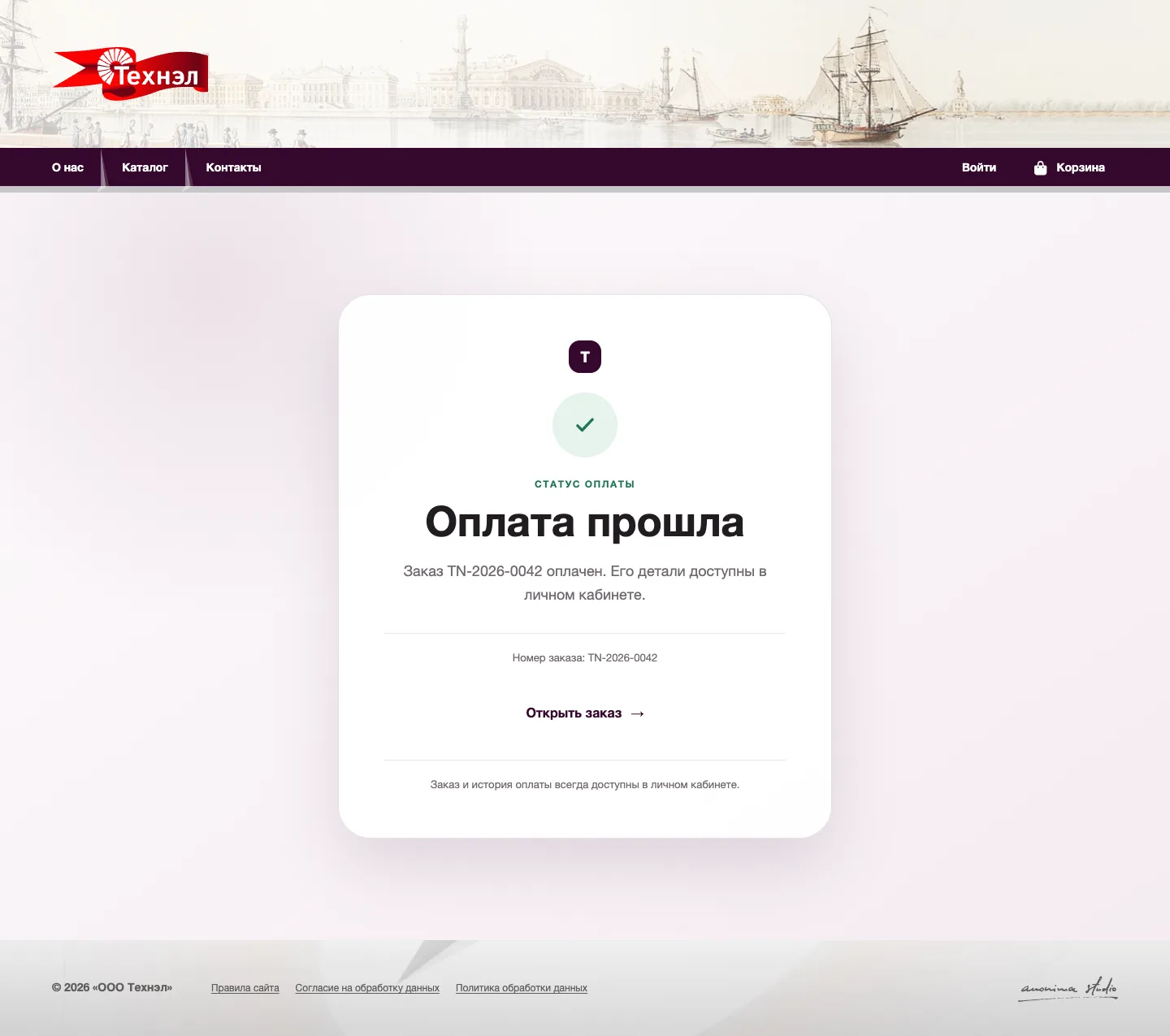
After payment, return to the order
Real route with controlled data: the page shows an example server-confirmed status and links to the saved order. T-Bank was not contacted.
How the order works and where its data is stored
The first diagram follows the customer. The second shows how the cart, order, and payment status pass between the browser, site server, bank, and database.
Customer journey
The order is saved before the customer goes to T-Bank. On return, the server checks the payment and the account opens the saved order.
Six steps: inspect a model, review delivery and consent, sign in by email code and create the order, continue to T-Bank, verify payment on the server, then open the saved order in the customer account.
Where the data is stored
The cart stays in the browser while the customer edits it. The server checks the order and payment before saving the order and payment records.
The browser keeps the editable cart and checkout fields. The site server validates sign-in codes delivered by email, recalculates the order, and starts payment. T-Bank handles payment and returns its status to the server. Directus and PostgreSQL store customer, order, and payment records.
What changed
-
Save one server-checked order
Only the items and price accepted by the server become an order. If checkout sends the same request again, the server returns that order instead of creating a duplicate.
-
Confirm payment on the server
Returning from T-Bank opens the relevant order but does not mark it as paid. The page shows success, processing, failure, or refund only after a server check.
-
Make the sales rules explicit at checkout
The sales rules, personal-data consent, and processing policy are separate dated pages. Checkout links to them beside two required confirmations, so purchase terms and data consent are not hidden in one action.
-
Build the order flow without a store engine
Technell does not use a ready-made ecommerce platform or payment plugin. Its own server calculates the order, links it to the customer, prevents duplicates, and exchanges payment requests and statuses with T-Bank.
-
Deploy the storefront and content service separately
The storefront and content service have separate container images. Automation builds only the changed part, applies data changes in the required order, and waits for a health check before traffic is switched manually.