

Lumen Field
Inspect available places on an illustrated hall map or in an equivalent list, add up to four, review the total, and send a booking request.
- Next.js
- React
- TypeScript
- Base UI
Design problem
A drawn hall plan makes the places easier to compare, while inspection and selection must remain explicit, keyboard accessible, and consistent with the list. Selection and price also need to survive inventory conflicts and temporary failures.
Main user flow
-
Understand the event
Read the programme, venue, dates, and practical details before starting a booking.
-
Inspect available places
Open the illustrated map or the equivalent list and review a place before using the explicit select action.
-
Review the selection
Add or remove places while the summary keeps quantities and total price synchronized.
-
Submit and recover
Correct field errors and send the request. If a place becomes unavailable or the service fails temporarily, the selection remains available for the next attempt.
Place selection on the map and list
The hall map, booking review, and mobile layout keep the same places, selections, and total.
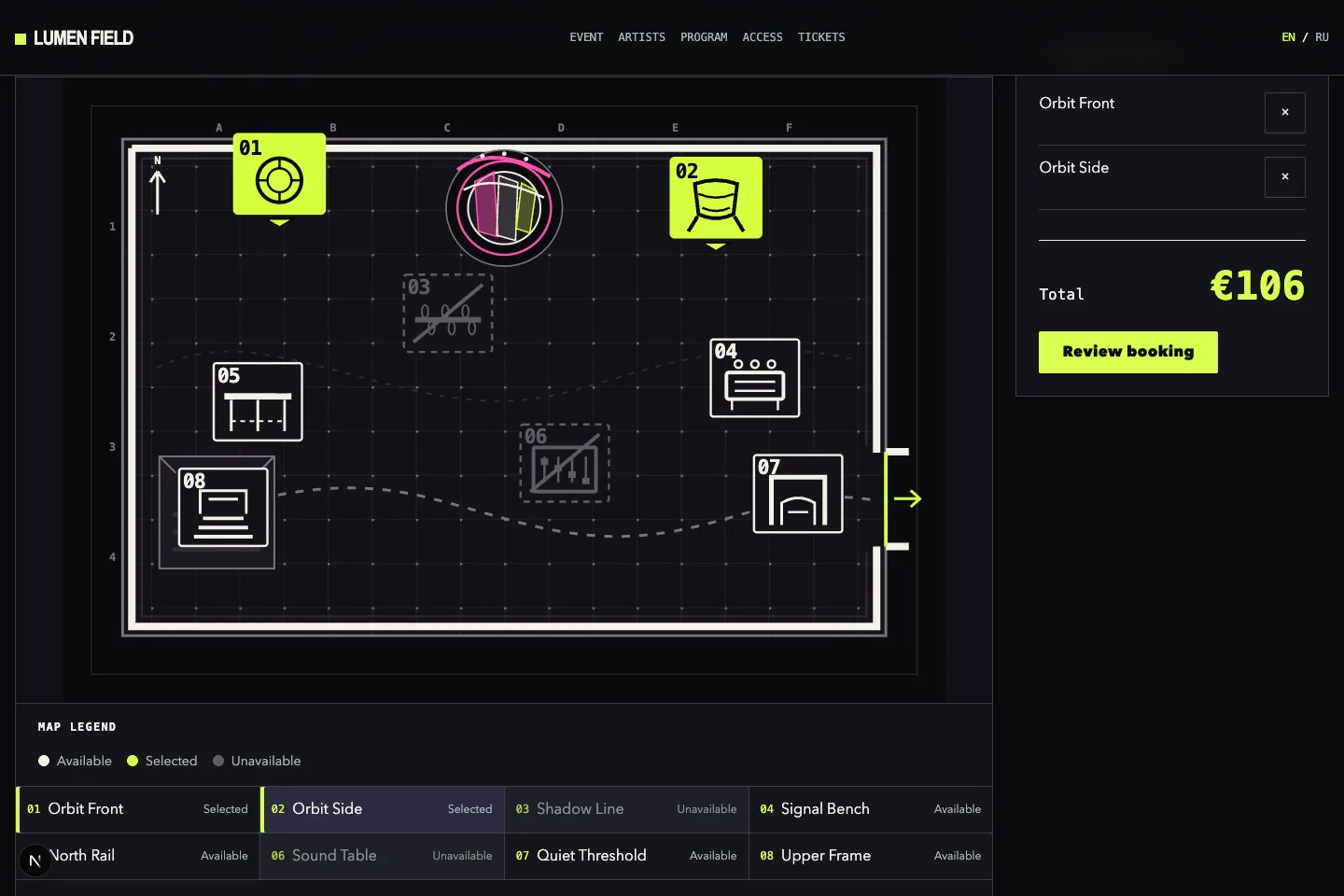
Two places on the hall map
The editorial plan keeps both selected markers and the €106 total visible together.
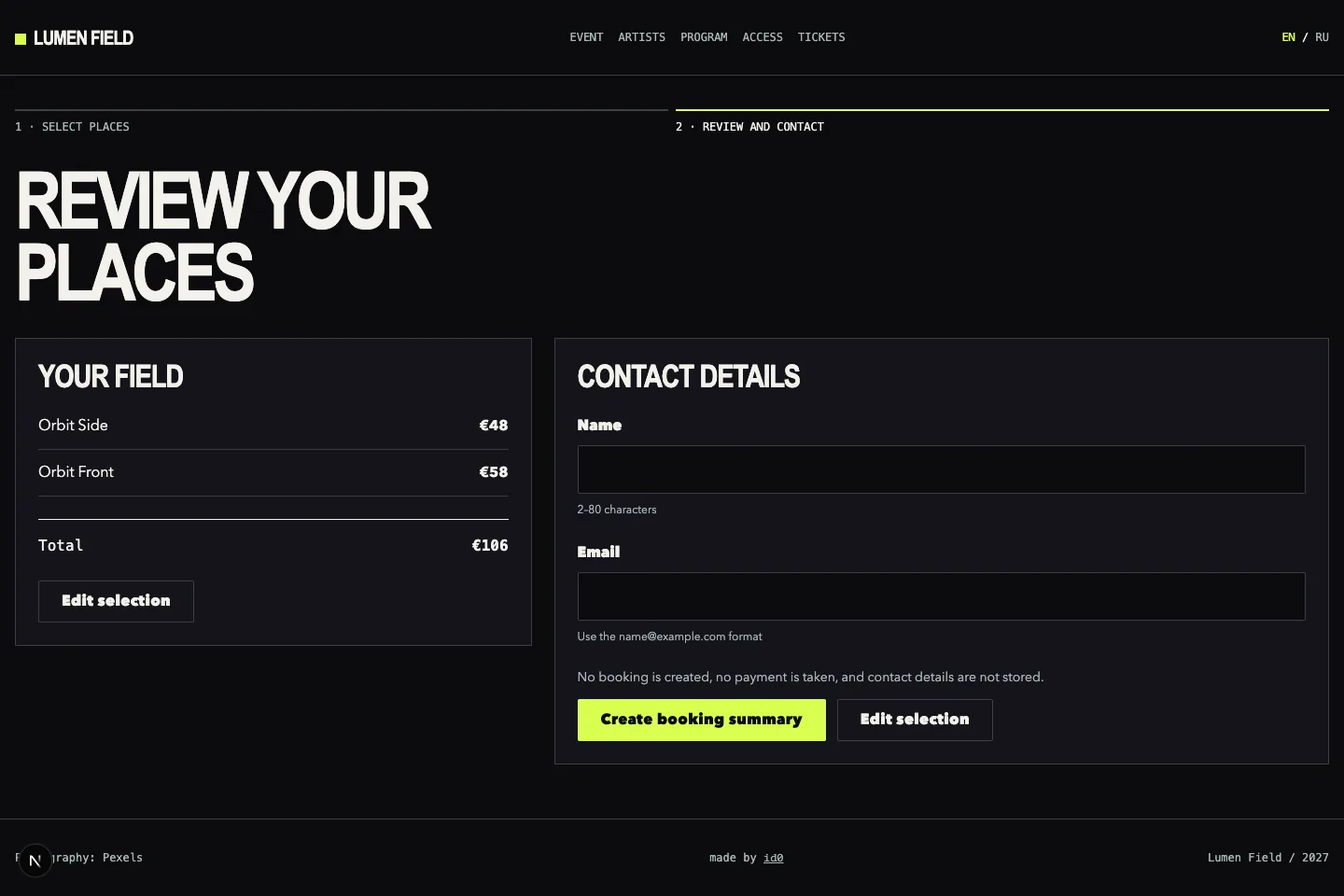
Review before sending
The visitor checks both places and the total, then reaches the contact fields and the action that creates the summary.
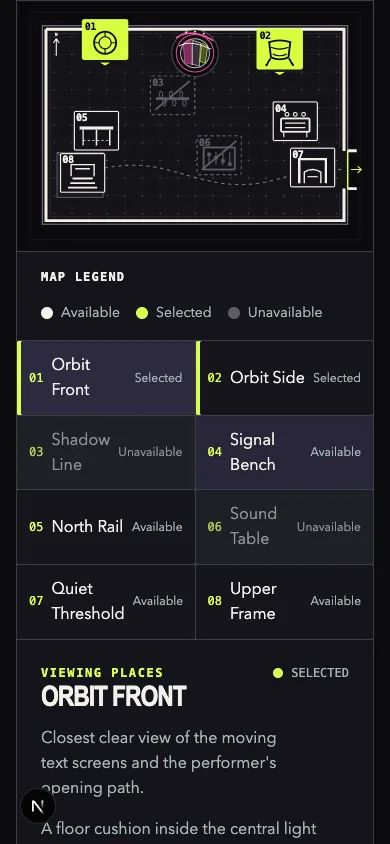
The same map on mobile
At a narrow viewport, all eight numbered places and both selections remain legible.
Key decisions
-
One selection across map and list
Map, list, and order summary use the same place inventory and selection. Switching views does not change the order.
-
Keep the map and actions separate
The SVG plan shows spatial relationships, while place details, selection, price, and submission remain ordinary page controls.
Critical states
-
Inspect before select
Pointer, touch, and keyboard users can inspect place details without accidentally changing the order.
-
Equivalent map and list
The illustrated map and semantic list retain the same inventory, details, selection, and price at every viewport.