

Promo CMS
Edit predefined content blocks in place, format essential text, record invitations, and review guest responses. Three wedding sites show two managed experiences and one intentionally static comparison.
- Astro
- Vue
- TypeScript
Design problem
An event team needs to update practical information and track replies without rebuilding the site for every copy change. At the same time, a generic page builder would weaken the composition that makes each event recognisable, and a simple static site should not inherit editing or guest-management controls it does not need.
Editor and guest journey
-
Sign in and edit the intended content
An authorised editor opens a managed site and updates its predefined text directly on the page, with controls for bold, italic, links, and lists.
-
Add a guest and record the invitation
The editor can add a guest manually and record the invitation locally. This showcase does not deliver real email.
-
Collect the guest response
The guest completes the event form, receives field-specific feedback when information is missing, and submits an attendance response.
-
Review replies together
Editors open one table to compare guests, invitation state, attendance, party details, and submitted notes.
Promo CMS and three wedding-site directions
The gallery first shows the working editor, then compares three English-language event sites with different typography, atmosphere, and product scope.
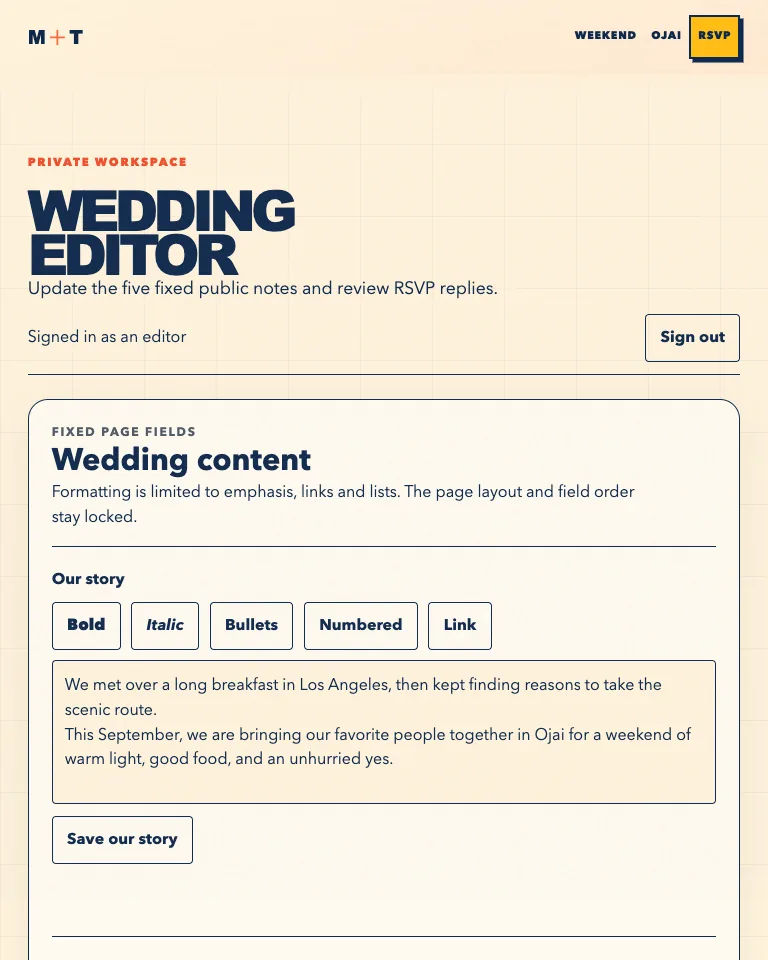
Promo CMS studio
The authenticated editor exposes only the fixed content fields intended by the site, with bounded rich-text controls and clear save actions.
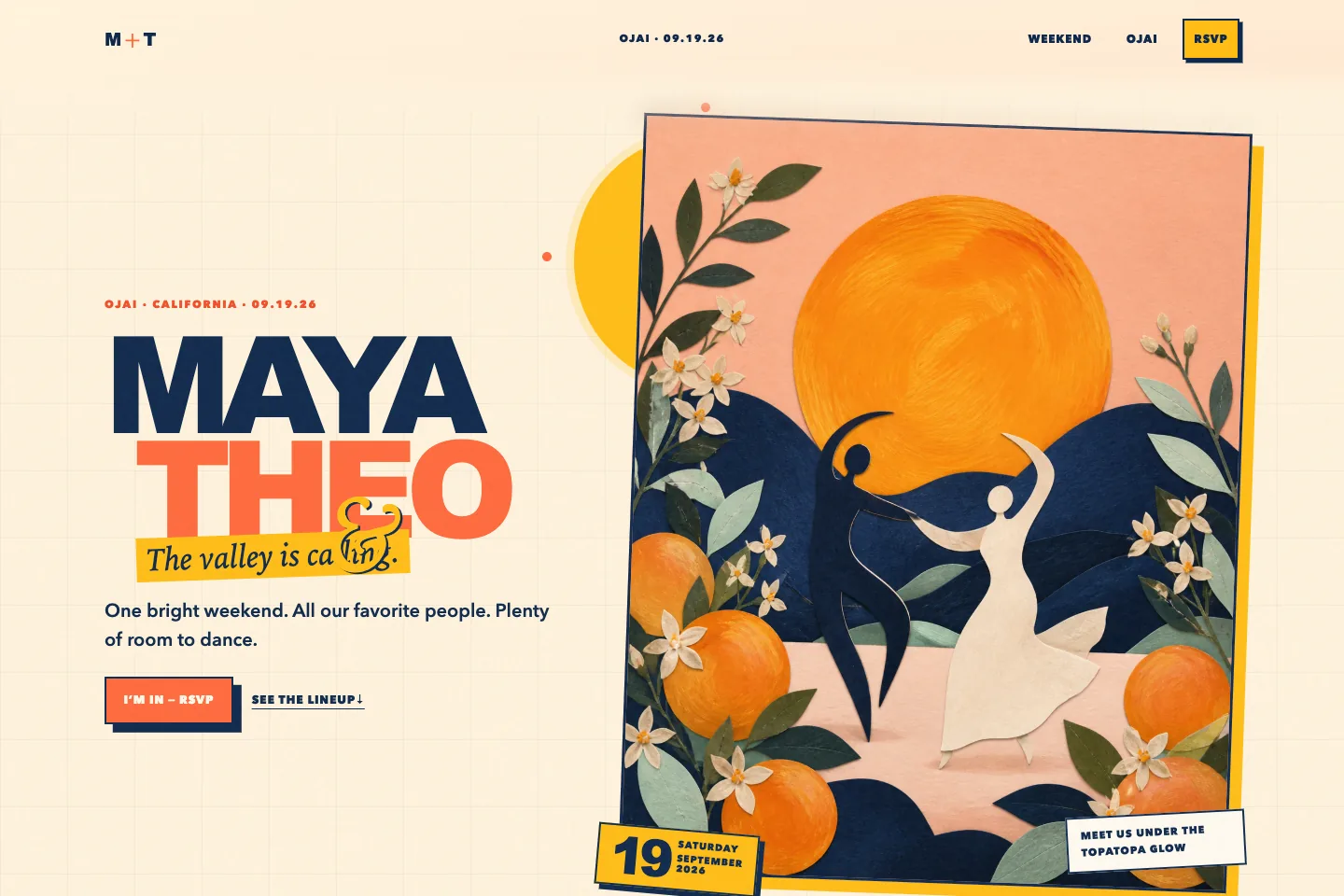
Maya & Theo
A playful Ojai celebration with expressive colour, illustrated accents, managed content, and an RSVP journey.
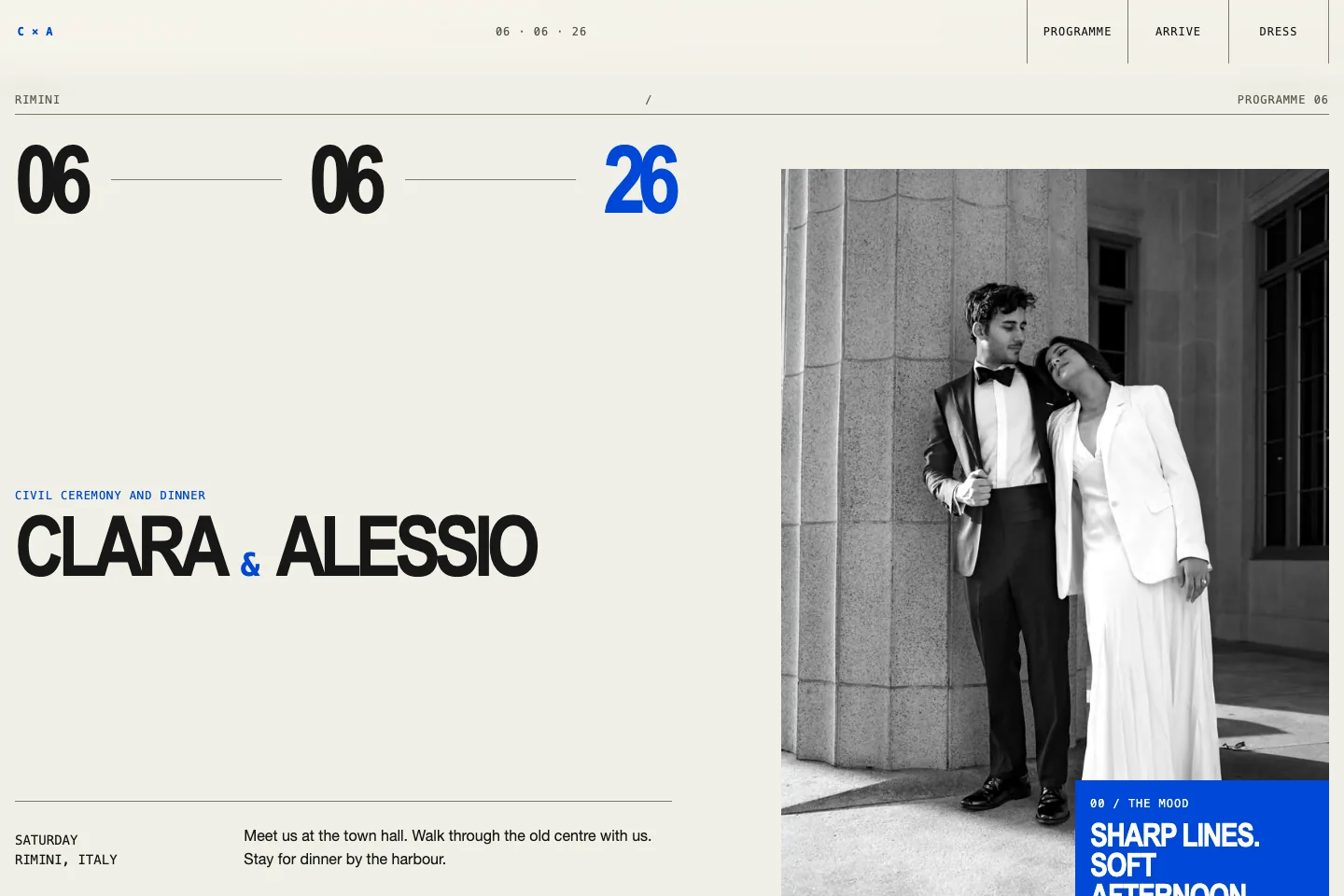
Clara & Alessio
A static editorial Rimini invitation with typographic programme, atmospheric photography, and dress-code references; it deliberately has no CMS or form.
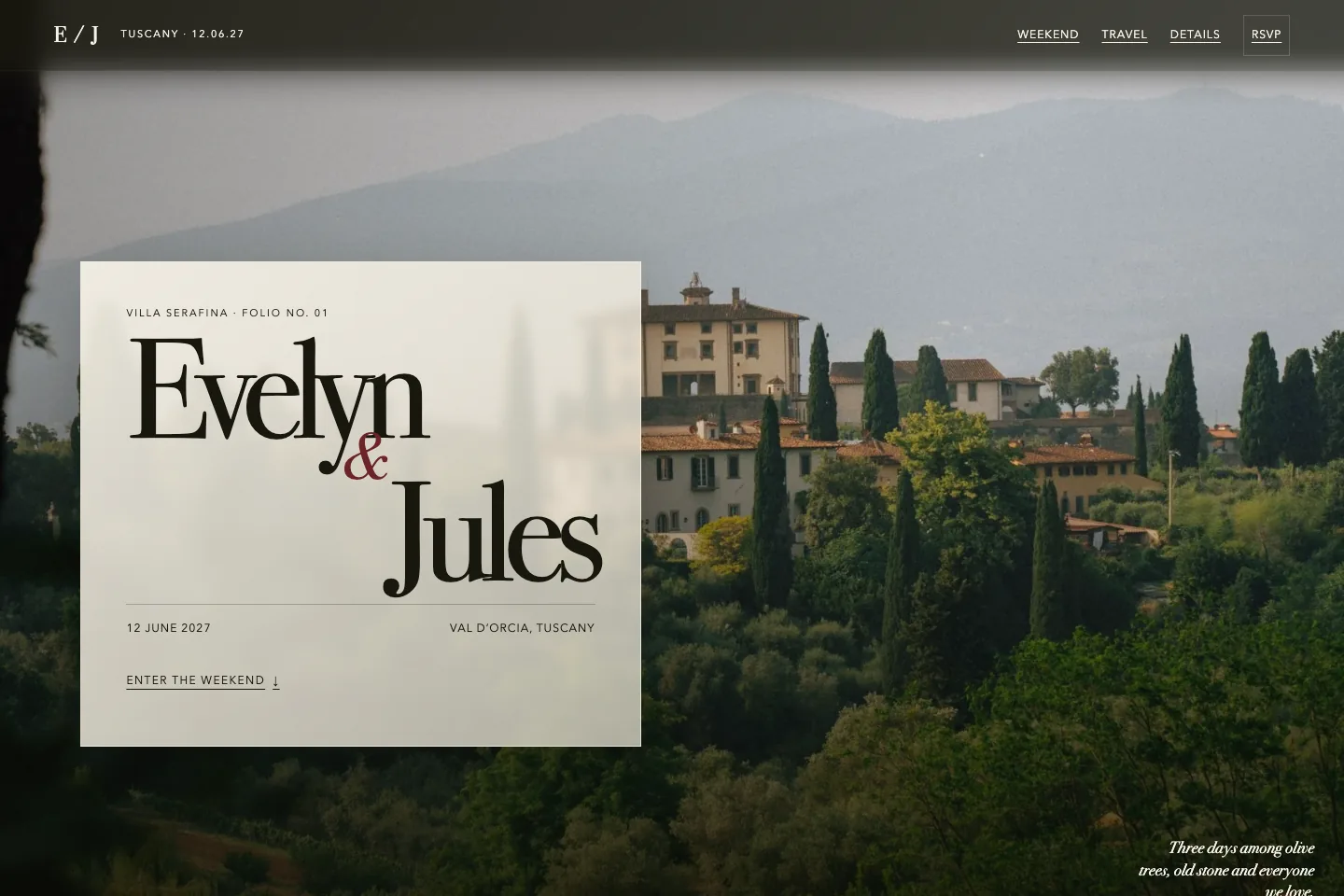
Evelyn & Jules
A cinematic Tuscany weekend with layered photography, glass-like navigation, managed content, and an RSVP journey.
Product boundaries
-
Preserve the designed composition
Editors change only predefined blocks. Their order and shape stay fixed, so each site retains its typography, pacing, and visual hierarchy.
-
Bound rich text to essential formatting
The editor offers bold, italic, links, and lists, then limits the saved result to that supported set instead of accepting arbitrary page markup.
-
Keep event data with its site
Each managed site owns its copy, form fields, guests, and responses; the shared editing surface supplies reusable behaviour without taking over the event design.
-
Let a static site opt out
The Rimini comparison uses the same portfolio format but deliberately has no CMS or invitation form, showing where a lighter delivery is enough.
Interaction quality
-
Keep feedback close to the action
Form errors stay attached to their fields, status changes remain readable to assistive technology, and keyboard focus moves to the next useful place.
-
Adapt without losing the event mood
The three directions keep their hierarchy across narrow and wide screens, while reduced-motion preferences replace non-essential movement with stable states.